Halo, saya Hello, I am

Adi Rizky Pratama

Saya seorang I am a

Dosen Teknik Informatika di UBP Karawang sekaligus Programmer Freelance. Menggabungkan riset akademis di bidang AI & Machine Learning dengan pengembangan solusi teknologi nyata untuk industri. Lecturer of Informatics Engineering at UBP Karawang and a Freelance Programmer. Combining academic research in AI & Machine Learning with the development of real-world technology solutions for industry.

6+
Publikasi Publications
50+
Sitasi Citations
10+
Proyek Projects
Dosen & Peneliti Lecturer & Researcher
Full-Stack Dev Full-Stack Dev
AI / ML AI / ML
Geser untuk efek 3D Drag for 3D effect
Adi Rizky Pratama

Akademisi yang Melek Industri Industry-Savvy Academician

Sebagai dosen di Program Studi Teknik Informatika Universitas Buana Perjuangan Karawang, saya mengajar dan meneliti di bidang kecerdasan buatan, pengolahan citra, dan pengembangan aplikasi. Di sisi lain, pengalaman sebagai programmer freelance memungkinkan saya menjembatani teori dan praktik — menghadirkan solusi teknologi yang didasari riset ilmiah yang kuat. As a lecturer in the Informatics Engineering Study Program at Universitas Buana Perjuangan Karawang, I teach and conduct research in artificial intelligence, image processing, and application development. On the other hand, my experience as a freelance programmer allows me to bridge theory and practice — delivering technology solutions built on robust scientific research.

Menjabat sebagai Kepala Pusat Data dan Informasi (PUSDATIN) UBP Karawang, saya terbiasa memimpin proyek digitalisasi skala besar dan berkolaborasi lintas tim. Serving as the Head of the Center for Data and Information (PUSDATIN) at UBP Karawang, I am accustomed to leading large-scale digitalization projects and collaborating across teams.

Dosen Tetap Full-time Lecturer

Teknik Informatika, UBP Karawang Informatics Engineering, UBP Karawang

Riset AI & ML AI & ML Research

CNN, LSTM, k-NN, OCR

Kepala PUSDATIN Head of PUSDATIN

Digitalisasi & Data Center Digitalization & Data Center

Freelance Dev Freelance Dev

Web & Mobile Applications Web & Mobile Applications

Apa yang Bisa Saya Bantu? How Can I Help You?

Menggabungkan keahlian akademis dan pengalaman industri untuk memberikan solusi terbaik. Combining academic expertise and industry experience to deliver the best solutions.

Software Development

Pengembangan aplikasi web & mobile custom sesuai kebutuhan bisnis Anda. Dari landing page hingga sistem enterprise. Custom web & mobile application development tailored to your business needs. From landing pages to enterprise systems.

IT Consulting

Konsultasi arsitektur sistem, pemilihan teknologi, transformasi digital, dan optimasi infrastruktur IT. Consulting on system architecture, technology stack selection, digital transformation, and IT infrastructure optimization.

Corporate Training

Pelatihan pemrograman, data science, dan AI untuk tim korporat maupun institusi pendidikan. Programming, data science, and AI training for corporate teams and educational institutions.

Research Collaboration

Kolaborasi riset di bidang machine learning, computer vision, dan data mining untuk publikasi ilmiah. Research collaboration in machine learning, computer vision, and data mining for scientific publications.

Tech Stack yang Dikuasai Mastered Tech Stack

HTML5
CSS3
JavaScript
Bootstrap
PHP
Laravel
Node.js
Python
TensorFlow
Keras
MySQL
PostgreSQL
Git & GitHub

Tri Dharma Perguruan Tinggi Three Pillars of Higher Education

Pengajaran, penelitian, dan pengabdian masyarakat sebagai fondasi kontribusi ilmiah. Teaching, research, and community service as the foundation of scientific contribution.

Mata Kuliah yang Diampu Courses Taught

Pemrograman Web Web Programming
Kecerdasan Buatan Artificial Intelligence
Machine Learning Machine Learning
Pengolahan Citra Digital Digital Image Processing
Basis Data Database Systems
Pemrograman Mobile Mobile Programming

Pengabdian Masyarakat Community Service

Digitalisasi UMKM melalui implementasi e-learning, QRIS, dan sistem informasi untuk pelaku usaha mikro di Karawang. Digitalization of MSMEs through the implementation of e-learning, QRIS, and information systems for micro-businesses in Karawang.

Highlight Publikasi Riset Research Publication Highlights

1

Penggunaan media pembelajaran Wordwall untuk meningkatkan minat dan motivasi belajar siswa The use of Wordwall learning media to improve students' interest and learning motivation

Zahro, N. A. Q., & Pratama, A. R.

50+ Sitasi 50+ Citations Jurnal Journal
2

Perbandingan Algoritma Apriori Dan FP-Growth Terhadap Market Basket Analysis Comparison of Apriori and FP-Growth Algorithms for Market Basket Analysis

Fathurrahman, M., Pratama, A. R., & Al-Mudzakir, T.

Data Mining Jurnal Journal
3

Implementasi CNN Untuk Klasifikasi Citra Kemasan Kardus Defect dan No Defect CNN Implementation for Defect and No Defect Cardboard Box Image Classification

Antoni, A., Rohana, T., & Pratama, A. R.

Computer Vision CNN

Proyek & Hasil Karya Projects & Creative Works

Koleksi proyek dari dunia akademik, freelance, dan open source. A collection of projects from academic, freelance, and open-source fields.

Memuat proyek... Loading projects...

Pengalaman & Pendidikan Experience & Education

Perjalanan karir di dunia akademik dan industri teknologi. Career journey in the academic world and technology industry.

Akademik Academic 2018 — Sekarang 2018 — Present

Dosen Tetap Full-time Lecturer

Universitas Buana Perjuangan Karawang

Mengajar mata kuliah Pemrograman Web, AI, Machine Learning, dan membimbing riset mahasiswa di Program Studi Teknik Informatika. Teaching Web Programming, AI, Machine Learning, and supervising student research in the Informatics Engineering Study Program.

Freelance Freelance 2019 — Sekarang 2019 — Present

Freelance Web Programmer Freelance Web Programmer

Berbagai Klien & Proyek Various Clients & Projects

Mengembangkan aplikasi web dan mobile untuk klien dari berbagai industri. Spesialisasi di PHP/Laravel, JavaScript, dan Python. Developing web and mobile applications for clients across various industries. Specializing in PHP/Laravel, JavaScript, and Python.

Akademik Academic 2018 — Sekarang 2018 — Present

Kepala PUSDATIN Head of PUSDATIN

UBP Karawang

Memimpin Pusat Data dan Informasi universitas. Mengelola infrastruktur IT, sistem informasi akademik, dan digitalisasi kampus. Leading the university's Center for Data and Information. Managing IT infrastructure, academic information systems, and campus digitalization.

Pengabdian Service 2021 — Sekarang 2021 — Present

Digitalisasi UMKM MSME Digitalization

Karawang & Sekitarnya Karawang & Surrounding Areas

Program pengabdian masyarakat: pelatihan IT, implementasi e-learning dan QRIS untuk pelaku usaha mikro. Community service program: IT training, e-learning implementation, and QRIS integration for micro-businesses.

Pendidikan Education 2015 — 2017

S2 — Magister Teknik Informatika Master of Informatics Engineering

Universitas / Institusi University / Institution

Fokus studi pada kecerdasan buatan, pengolahan citra, dan machine learning. Study focus on artificial intelligence, image processing, and machine learning.

Pendidikan Education 2011 — 2015

S1 — Sarjana Teknik Informatika Bachelor of Informatics Engineering

Universitas / Institusi University / Institution

Fondasi keilmuan di bidang pemrograman, basis data, jaringan komputer, dan rekayasa perangkat lunak. Foundational knowledge in programming, databases, computer networks, and software engineering.

Hubungi Saya Contact Me

Ada proyek, kolaborasi riset, atau pertanyaan? Jangan ragu untuk menghubungi. Have a project, research collaboration, or question? Feel free to reach out.

Mari Berkolaborasi! Let's Collaborate!

Saya selalu terbuka untuk peluang kolaborasi, baik di bidang akademik maupun pengembangan software. Silakan hubungi saya melalui platform berikut. I am always open to collaboration opportunities, both in the academic sphere and software development. Please contact me through the platforms below.
Advertisement
Responsive Ad Unit (Top Banner)

Sabtu, 11 Juli 2026

7 Modern Malware Threats to macOS in 2026: How Fake Apps Work & Tips to Protect Yourself

7 Modern Malware Threats to macOS in 2026: How Fake Apps Work & Tips to Protect Yourself

macOS has long been known as being more secure than many other operating systems. However, in 2026, that assumption is increasingly being exploited by cybercriminals. They do not always attack using complex techniques, but rather through fake apps, counterfeit installers, pirated downloads, and convincing-looking links.

The problem is that modern attacks on Mac are no longer easy to recognize. Many types of malware are designed to look like normal applications, request permissions in ways that appear legitimate, and then quietly access important data. That is why macOS users need to understand attack patterns, rather than simply relying on the reputation of Apple devices.

Why Is macOS Malware Becoming More Dangerous in 2026?

A shift in targets from Windows to macOS

In the past, Windows was the primary target because of its large market share. Today, macOS has also become a target because its user base continues to grow, especially among professionals, businesspeople, creators, and remote work teams. To attackers, Mac devices are often seen as storing high-value data such as work documents, cloud credentials, financial data, and business account access.

There is also a psychological factor that benefits attackers: many Mac users feel their devices are “secure enough” by default. This overconfidence often makes people careless when downloading apps from unofficial sources, opening files of unclear origin, or ignoring system warning signs.

Fake app disguise techniques that are difficult to detect

Modern malware rarely appears as a suspicious file with a strange name. Instead, it disguises itself as productivity apps, system cleaning utilities, free VPNs, editing tools, cracked software, or fake updates for browsers and media players.

Installer interfaces are also becoming more convincing. Icons are made to look professional, app names resemble popular brands, and the download sites look like official pages. In some cases, attackers imitate the macOS installation flow so neatly that users do not realize they are granting access to malicious software.

How Modern Malware Works: Infection Through Fake Apps

The infiltration process through pirated or imitation apps

One of the most common infection routes is pirated apps or imitation versions of popular software. Users typically look for free versions of paid apps, then download a .dmg file or installer from an unofficial site. That is where the malware gets in.

The scheme often looks like this:

  1. The user downloads an app from a third-party website.
  2. The installer requests extra steps such as disabling certain protections or manually moving the app.
  3. The app appears to run normally, but in the background it plants additional components.
  4. Those components may be tasked with stealing passwords, monitoring activity, installing a backdoor, or downloading other malware.

This attack model is effective because the victim feels they are indeed installing the app they wanted. As a result, the malicious activity appears to be a normal part of the installation process.

Exploitation of system permissions and access to sensitive data

In macOS, many important functions are protected by a permissions system. However, modern malware does not always “break through” those protections head-on. It often manipulates users into granting permissions themselves, such as access to the Downloads folder, Documents, Accessibility, Screen Recording, or Full Disk Access.

Once permission is granted, the risk increases dramatically. Malware can:

  • Read sensitive files
  • Steal saved login data
  • Record screen activity
  • Monitor the clipboard
  • Access browser session tokens or work app tokens
  • Abuse accounts that are currently logged in

In more advanced attacks, malware can also persist after a restart and continue running without obvious symptoms. Users often only realize it when their accounts are compromised, files are encrypted, or the device starts behaving abnormally.

Main Attack Vectors to Watch Out For

Downloads from unofficial sites and phishing links

Most infections do not begin with a “major hack,” but with a small decision: click a link, download a file, then install it. Unofficial sites often offer free premium software, fake emergency updates, or tools that supposedly are required to open certain documents.

Phishing links are also becoming more polished. Emails or messages can impersonate software vendors, cloud services, and even Apple security notifications. When victims are directed to a fake page, they are asked to download a “verification app,” “security update,” or “supporting driver” that is actually malware.

Warning signs to be suspicious of:

  • The site domain looks similar, but it is not the official domain
  • There is a sense of urgency such as “your account will be blocked”
  • The file is downloaded from a page full of ads or redirects
  • The app asks you to bypass security without a clear reason
  • The developer name is inconsistent with the app’s brand

Fileless malware using legitimate scripts

Another threat that is becoming increasingly relevant is fileless malware. This type does not always depend on traditional malicious files that are easy to scan. It can exploit legitimate scripts and built-in system components to execute commands, retrieve payloads, or maintain access.

This approach is dangerous because its activity appears to be a normal process. Attackers can use script interpreters, system automation, or tasks that look legitimate to carry out harmful actions. As a result, detection becomes more difficult, especially if users rarely check system activity or security logs.

For everyday users, the key point is simple: modern threats do not always come in the form of a clearly suspicious app. Sometimes, the attack runs through processes that appear “official.”

Effective Protection Strategies for macOS Users

Basic security practices: only download from the App Store & verify the developer

The most effective protective step is actually the most basic one: download apps only from the App Store or the developer’s official website. If you must install from outside the App Store, make sure the developer name, website domain, reviews, and reputation are truly valid.

Some important safe habits:

  • Avoid pirated software, cracks, and keygens
  • Do not install apps from random links in emails, chats, or forums
  • Check whether the app is genuinely necessary
  • Be wary of permission requests that feel excessive
  • Do not ignore security warnings from macOS

If a simple note-taking app suddenly asks for Screen Recording, Accessibility, or Full Disk Access, that should raise questions. The principle is: permissions should be proportional to the app’s function.

Additional security tools: XProtect, system updates, and firewall

macOS already has built-in security layers such as XProtect, Gatekeeper, and security update mechanisms. These features help block known malware, verify app authenticity, and close vulnerabilities that could be exploited.

To keep protection effective:

  • Always enable automatic system updates
  • Do not delay security updates
  • Use the built-in macOS firewall
  • Review the Login Items list and background processes regularly
  • Remove apps that are no longer used
  • Use a password manager and two-factor authentication for important accounts

For users with higher risk, such as remote workers, business teams, or people who frequently download many tools, additional third-party security solutions can help. However, the foundation remains the same: safe download sources, a system that is always updated, and disciplined digital habits.

Conclusion

Malware threats on macOS in 2026 are no longer a side issue. The focus of attacks has shifted to subtler techniques: fake apps, abused system permissions, phishing, and fileless malware that is hard to spot. This means protection is no longer sufficient if it relies only on Apple’s strong brand name or the assumption that Macs are “safer.”

The safest users are usually not the most technical ones, but the most careful ones. As long as you only download from trusted sources, check app permissions, update your system regularly, and stay alert to suspicious links, the risk of infection can be reduced significantly.

FAQ

What is the difference between macOS malware and Windows malware?

In terms of purpose, both are designed to steal data, take over access, or damage systems. The difference is that macOS malware is often designed to blend in more neatly within the Apple ecosystem and exploit Mac users’ sense of security.

Can a Mac get malware through Safari?

Yes. Safari itself is not the main cause, but the browser can become an entry point when users open malicious websites, click phishing links, or download files from untrusted sources.

How can you identify a fake app on Mac?

Check the download source, developer name, domain appearance, and the permissions requested by the app. If the app asks for irrelevant access or requires you to bypass security warnings, it is best not to continue.

Is third-party antivirus necessary for macOS?

Not always for everyone, because macOS already includes built-in protections. However, for high-risk users or those who frequently install apps from outside the App Store, additional antivirus can serve as an extra layer of security.

Sources

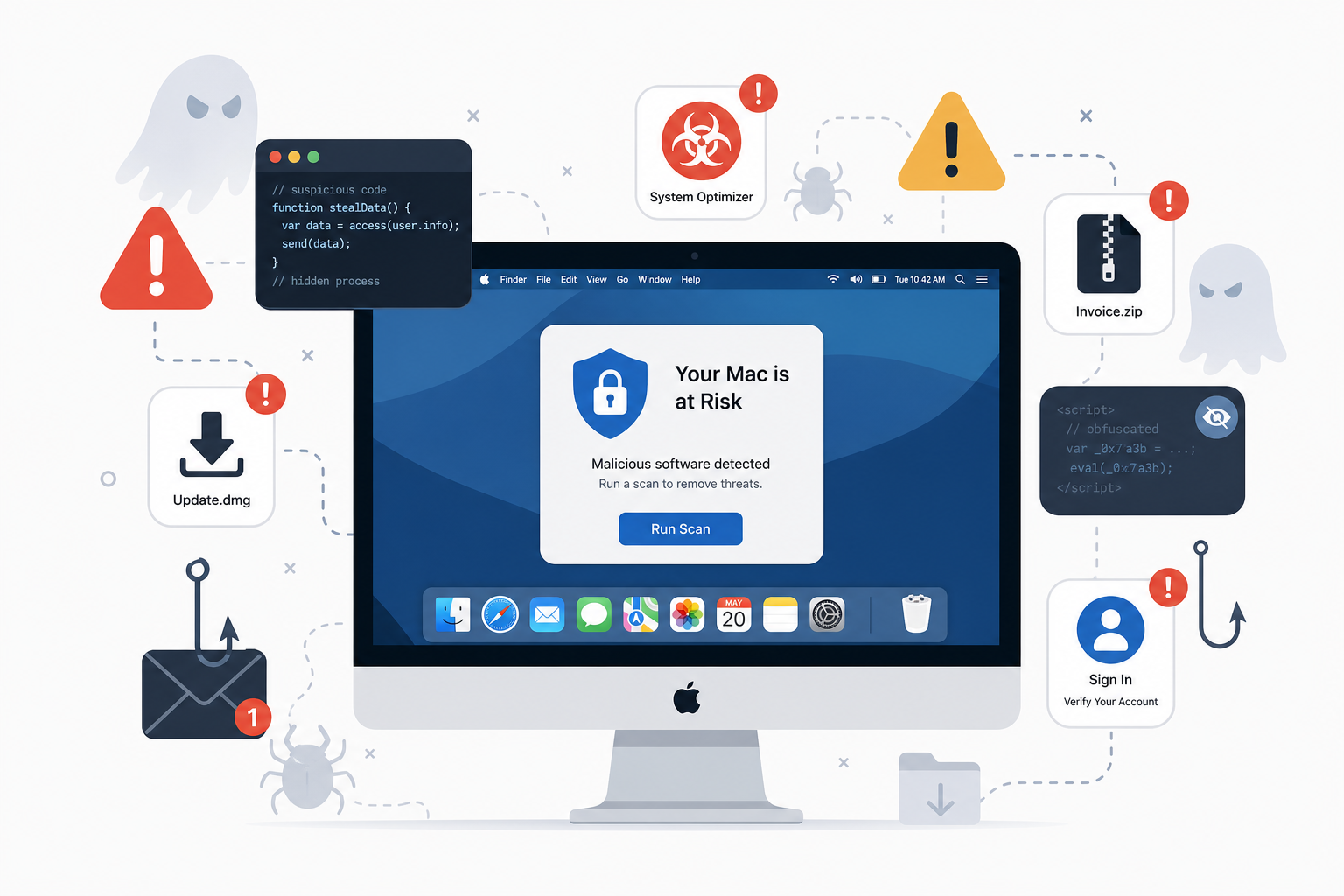
Malware and security illustration

This article was written by artificial intelligence (AI) using the deepseek-v4-pro model via SumoPod AI.

This article was translated by Artificial Intelligence (AI) using gpt-5.4 via SumoPod AI.

Tidak ada komentar:

Posting Komentar

Dosen Teknik Informatika di UBP Karawang sekaligus Programmer Freelance. Menggabungkan riset akademis di bidang AI & Machine Learning dengan pengembangan solusi teknologi nyata untuk industri.

Cari Blog Ini

Diberdayakan oleh Blogger.

Arsip Blog